
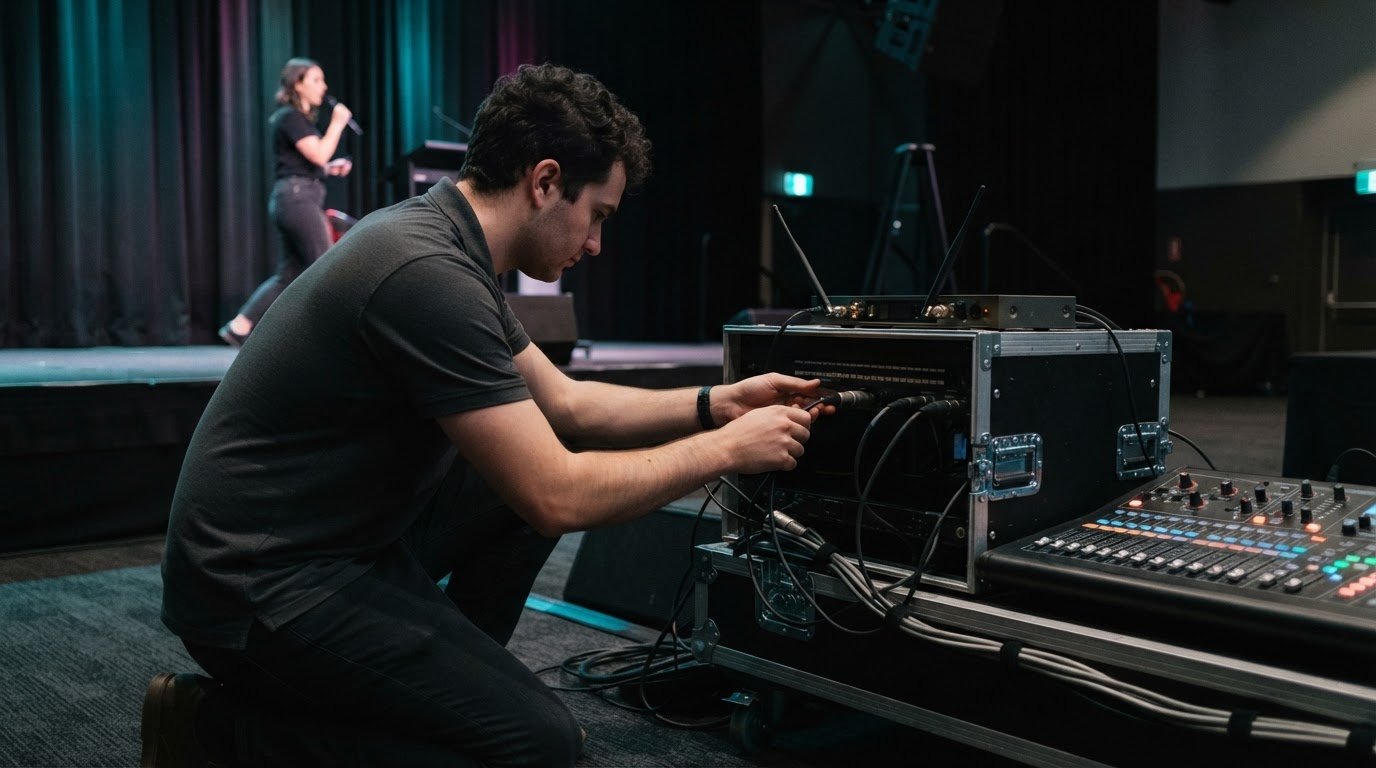
Annual Conference AV Upgrades: Weigh Costs Against Long-Term Value

Repeated AV faults don’t automatically mean your conference setup needs a full redesign. When upgrading your annual conference AV, start by tracing each problem to its cause. If five support tickets in a quarter all point to one faulty HDMI cable, a targeted fix may be enough. Recurring failures across audio, vision and control suggest a broader system issue.

Repeated faults are frustrating, but replacing equipment before understanding the pattern can solve the wrong problem. A focused upgrade should address what delegates and presenters actually experience while retaining technology that still performs reliably.

This guide explains how to assess your current setup, identify priorities across sound, visuals and technical control, and decide whether a targeted change or a broader refresh makes sense. It also covers how room use, hybrid participation, system compatibility and maintenance shape an effective upgrade plan. A clear assessment helps you focus on changes that make meetings smoother and annual conferences more dependable.

Key Takeaways

  • Trace recurring faults to their source before deciding on a full redesign; a single faulty connection may call for a targeted repair.
  • Prioritise clear, balanced audio, then assess whether camera framing is making it easier for participants to follow the discussion.
  • Plan for remote attendees with room layouts and collaboration tools that keep them involved, not just connected.
  • Prioritise upgrades according to room use, maintenance needs and expected system life when comparing options.

1. Maintaining and future-proofing conference room technology

Outdated room AV can turn a meeting into a troubleshooting session. Older hardware may not work smoothly with current video platforms, and recurring faults can disrupt presentations and frustrate attendees. A three-to-five-year refresh cycle can be a useful planning guide, but room condition and use should determine priorities. When upgrading your annual conference AV, first identify which faults affect the audience experience.

Look for patterns before deciding on a redesign. Five support tickets in one quarter may sound serious, but if they all trace to one faulty HDMI cable, a targeted repair may be enough. Faults across different devices, unreliable wireless connections, poor compatibility or controls that staff routinely bypass point to wider system issues. Review room sizes, meeting formats and feedback, then prioritise high-traffic spaces.

In Australia, conference AV planning should account for the venue’s applicable safety and accessibility requirements. Consider whether people can access the space, see presentation content and hear speakers clearly, and coordinate the setup with the venue’s event arrangements.

To assess a conference venue, document its existing equipment, recurring faults, meeting formats and planned changes. Compare these findings with the room’s intended use. A space that now hosts hybrid meetings, for example, may need different connections and seating arrangements.

Upgrade risks include incompatible devices, network limits and disruption during installation. Stage the work, test signal paths before the event and plan a fallback connection. For livestreams, assess network capacity early because audiovisual content can be affected by capacity issues.

Arrange conference AV support as soon as the event date, venue and program take shape. Planning time depends on production complexity, venue access and the work required to install and test the system.

A sound approach to upgrading your annual conference AV also includes scheduled maintenance. Meeting software can trigger room settings automatically, preparing displays, lighting and audio before attendees arrive. Regular updates help keep equipment useful and reduce avoidable faults.

2. Audio quality and intelligent camera framing

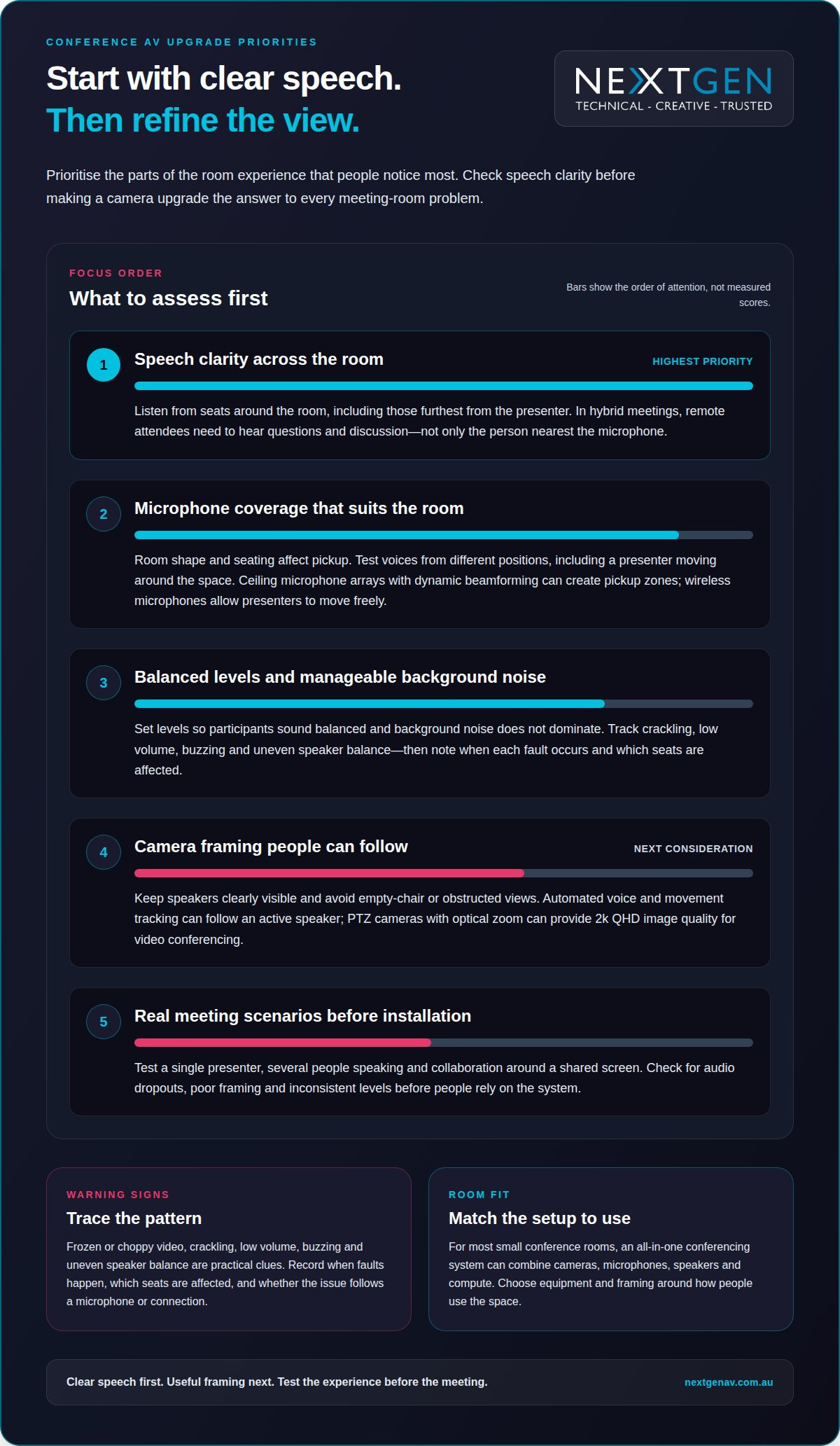
In a conference room, clear speech matters more than a camera upgrade alone. Audio problems can make collaboration tiring, even when everyone can see the screen. Frozen or choppy video, crackling, low volume, buzzing and uneven speaker balance are practical warning signs. Track when they occur, which seats are affected and whether the issue follows a particular microphone or connection.

Begin the assessment with the people listening. Check speech clarity from seats around the room, including those furthest from the presenter. A microphone that sounds clear at the table may not capture a presenter moving across the space. In hybrid meetings, remote participants need to hear questions and discussion throughout the room, not just from the person closest to the microphone.

Room shape and seating determine microphone coverage. Ceiling microphone arrays with dynamic beamforming can create pickup zones across a room, while wireless microphones let presenters move freely. Match the approach to how people use the space, then test it with voices from different positions. Set levels so participants sound balanced and background noise does not dominate.

Camera framing is the next consideration. Automated voice and movement tracking can shift the view towards the active speaker, helping remote attendees follow a changing discussion. PTZ cameras with optical zoom can provide 2k QHD image quality for video conferencing. Choose framing that keeps speakers clearly visible without leaving remote participants focused on an empty chair or an obstructed view.

For most small conference rooms, an all-in-one conferencing system can combine cameras, microphones, speakers and compute. Before installation, test real meeting scenarios: a single presenter, several people speaking, and collaboration around a shared screen. This reveals audio dropouts, poor framing and inconsistent levels before employees rely on the system. For events needing carefully managed sound, professional audio systems can help keep every contribution clear.
Annual Conference AV Upgrades: Weigh Costs Against Long-Term Value

3. Improving meetings with remote participants

Hybrid design should give remote participants a clear view and a genuine chance to contribute. A room designed for eight people may no longer suit teams that need hybrid meetings, whiteboarding or flexible seating. Before changing the layout or equipment, assess how presenters, in-room attendees and online participants will share the conversation.

For an annual conference in 2026, plan AV around the program: displays, cameras, microphones, speakers and a connection for video conferencing. Interactive collaboration displays can support digital sketching and let remote participants share a canvas. The right combination depends on room size, session format and how attendees need to take part.

Different sessions need different visual coverage. A keynote requires a clear view of the presenter and presentation content; a panel should keep every speaker visible. In a workshop, position displays so participants can follow shared material and contribute. The camera should show the active discussion, not an empty lectern or an obstructed view.

Hybrid equity takes more than pointing a camera at the room. Remote attendees need to hear questions, see relevant content and have a clear way to speak. Build participation into the run sheet: invite online questions, repeat in-room contributions when needed and assign a moderator to follow remote discussion. These steps help online voices remain part of the conversation.

For hybrid and livestreamed conferences, plan how presenters, remote speakers and audience contributions will appear in the broadcast. Confirm the streaming platform, presentation format and moderation roles during pre-production. Prepare a run sheet that identifies each content change and who cues it, so transitions between speakers, slides and audience questions stay coordinated.

Rehearse with the actual content and session format before the event. Have remote speakers join, test presentation handovers and practise how questions move between online and in-room participants. This gives the event team time to refine cues and responsibilities, helping the live program feel cohesive for everyone.

4. Planning AV upgrades for long-term needs

Define the conference’s essential outcomes before selecting a platform or equipment. Start with requirements such as clear presentation audio, dependable displays, interactive participation or livestreaming. Then separate urgent faults from enhancements, so a microphone issue doesn’t automatically lead to replacing the entire room system. Tie each proposed change to an audience need and an operational benefit.

Choose equipment arrangements around usage, maintenance capacity and how quickly requirements change. A conference room used regularly may benefit from a consistent system, with staff available to manage updates and upkeep. For an annual event with changing formats or specialist requirements, a flexible approach can help ensure equipment matches the program. Consider the event schedule and who will manage the equipment.

Assess what each upgrade requires to work reliably. Consider installation, compatibility with the existing AV system, maintenance, updates, staff training and eventual replacement. For example, a new display may need compatible connections and control hardware for smooth presentations. A planned maintenance schedule can also help equipment last longer.

Match each upgrade to the room and program. A boardroom used for presentations may need different improvements from a space hosting interactive workshops. Prioritise equipment that resolves a recurring problem or supports a defined event requirement, then schedule less urgent upgrades around future use. This makes it easier to explain why each change belongs in your annual conference AV plan.

Consider expected lifespan when choosing displays. Digital signage displays typically last longer than TVs, so the right choice depends on how the screen will be used. For many organisations, the benefits of modern meeting-room upgrades can become apparent within months, particularly when smoother meetings save time across regular sessions.

To shape a considered AV upgrade plan, discuss your conference AV requirements and align system choices with your event format, room use and technical needs.

NextGen AV

NextGen AV helps turn an AV assessment into a coordinated conference plan, matching technical choices to your room, program and audience. When faults span sound, visuals and staging, or your conference needs a more integrated experience, a considered production plan can bring the moving parts together.

LED Video Walls, Professional Audio Systems, Lighting Design and Equipment, and Staging and Rigging can support different elements of an event. The right combination depends on your sessions, from clear presentations to a well-defined stage environment. Planning these elements together keeps the focus on the delegate experience rather than treating each piece of equipment in isolation.

Contact NextGen AV to discuss your conference AV requirements and the outcomes you want to achieve.

Turn the plan into progress

Technology decisions work best when they serve the experience you want delegates to remember. As you upgrade your annual conference AV, treat each change as part of a considered production plan, not an isolated equipment decision. Keep the focus on how presenters communicate, how audiences participate and how the event reflects your organisation.

NextGen AV can shape a plan around your conference format and delivery goals, with LED Video Walls, Professional Audio Systems and Lighting Design and Equipment among its offerings. The aim is a coherent experience, where technical choices support the event rather than compete for attention.

Bring your priorities, room details and program requirements into the conversation, then map out a practical next step. Discuss your AV upgrade with NextGen AV and move towards a conference experience that feels considered from the first presentation to the final session.

Frequently Asked Questions

How do I know if my conference room needs a full redesign or just a targeted fix?

A targeted fix suits a fault that can be isolated without changing how other room systems work. A redesign makes more sense when outdated components in the signal routing, control and room layout cannot support the meeting format together. Map the signal path from presenter device to audience display, then test each connection and control point. This reveals whether one component or the wider system is holding the room back.

How should I prioritise upgrades across many rooms?

Compare rooms by business importance, meeting frequency and the consequences of failure, rather than applying the same refresh everywhere. A room used for board decisions or client presentations, for example, may take priority over one used occasionally for informal catch-ups. Group rooms with similar layouts and needs, then plan upgrades in stages. This helps teams align technical changes with operational demands and manage disruption across Melbourne offices.

How urgent is replacing end-of-life hardware if the room still works?

Working equipment can still pose a risk if it no longer receives support or works reliably with the platforms your organisation uses. Consider the replacement path before a failure forces an urgent decision: identify compatible alternatives, dependencies and how the room would operate during a fault. If the equipment remains supported and meets current needs, schedule replacement around planned changes rather than replacing it solely because of age.

What are the latest AV upgrades for conference venues?

There isn’t one upgrade that suits every conference venue; useful changes depend on session formats and audience needs. If a venue hosts both presentations and workshops, consider whether the room can switch smoothly between speaker-led content and audience collaboration. Trial a proposed setup in a representative room, then assess it with the actual program, content and presenter workflow before extending the change to other spaces.

What are the benefits of LED walls versus projectors for conferences?

LED walls create a large, bright visual surface, while projectors cast an image onto a suitable screen or surface. The right choice depends on the venue’s ambient light, available space, viewing angles and presentation content. A Melbourne ballroom with strong lighting may call for a different display approach than a smaller, darker room. Consider sightlines and screen placement alongside image impact.

What audio and microphone setup works best for a large conference?

A large conference needs sound coverage suited to the room, audience and session format. A keynote may use a wireless microphone for the presenter, while a panel needs each speaker’s voice captured clearly. Plan how audience questions will be heard, including any microphone handover. A front of house engineer manages the mix attendees hear, balancing speech levels across the venue as the program changes.

Repeated AV faults don’t automatically mean your conference setup needs a full redesign. When upgrading your annual conference AV, start by tracing each problem to its cause. If five support tickets in a quarter all point to one faulty HDMI cable, a targeted fix may be enough. Recurring failures across audio, vision and control suggest a broader system issue.

Repeated faults are frustrating, but replacing equipment before understanding the pattern can solve the wrong problem. A focused upgrade should address what delegates and presenters actually experience while retaining technology that still performs reliably.

This guide explains how to assess your current setup, identify priorities across sound, visuals and technical control, and decide whether a targeted change or a broader refresh makes sense. It also covers how room use, hybrid participation, system compatibility and maintenance shape an effective upgrade plan. A clear assessment helps you focus on changes that make meetings smoother and annual conferences more dependable.

Key Takeaways

  • Trace recurring faults to their source before deciding on a full redesign; a single faulty connection may call for a targeted repair.
  • Prioritise clear, balanced audio, then assess whether camera framing is making it easier for participants to follow the discussion.
  • Plan for remote attendees with room layouts and collaboration tools that keep them involved, not just connected.
  • Prioritise upgrades according to room use, maintenance needs and expected system life when comparing options.

1. Maintaining and future-proofing conference room technology

Outdated room AV can turn a meeting into a troubleshooting session. Older hardware may not work smoothly with current video platforms, and recurring faults can disrupt presentations and frustrate attendees. A three-to-five-year refresh cycle can be a useful planning guide, but room condition and use should determine priorities. When upgrading your annual conference AV, first identify which faults affect the audience experience.

Look for patterns before deciding on a redesign. Five support tickets in one quarter may sound serious, but if they all trace to one faulty HDMI cable, a targeted repair may be enough. Faults across different devices, unreliable wireless connections, poor compatibility or controls that staff routinely bypass point to wider system issues. Review room sizes, meeting formats and feedback, then prioritise high-traffic spaces.

In Australia, conference AV planning should account for the venue’s applicable safety and accessibility requirements. Consider whether people can access the space, see presentation content and hear speakers clearly, and coordinate the setup with the venue’s event arrangements.

To assess a conference venue, document its existing equipment, recurring faults, meeting formats and planned changes. Compare these findings with the room’s intended use. A space that now hosts hybrid meetings, for example, may need different connections and seating arrangements.

Upgrade risks include incompatible devices, network limits and disruption during installation. Stage the work, test signal paths before the event and plan a fallback connection. For livestreams, assess network capacity early because audiovisual content can be affected by capacity issues.

Arrange conference AV support as soon as the event date, venue and program take shape. Planning time depends on production complexity, venue access and the work required to install and test the system.

A sound approach to upgrading your annual conference AV also includes scheduled maintenance. Meeting software can trigger room settings automatically, preparing displays, lighting and audio before attendees arrive. Regular updates help keep equipment useful and reduce avoidable faults.

2. Audio quality and intelligent camera framing

In a conference room, clear speech matters more than a camera upgrade alone. Audio problems can make collaboration tiring, even when everyone can see the screen. Frozen or choppy video, crackling, low volume, buzzing and uneven speaker balance are practical warning signs. Track when they occur, which seats are affected and whether the issue follows a particular microphone or connection.

Begin the assessment with the people listening. Check speech clarity from seats around the room, including those furthest from the presenter. A microphone that sounds clear at the table may not capture a presenter moving across the space. In hybrid meetings, remote participants need to hear questions and discussion throughout the room, not just from the person closest to the microphone.

Room shape and seating determine microphone coverage. Ceiling microphone arrays with dynamic beamforming can create pickup zones across a room, while wireless microphones let presenters move freely. Match the approach to how people use the space, then test it with voices from different positions. Set levels so participants sound balanced and background noise does not dominate.

Camera framing is the next consideration. Automated voice and movement tracking can shift the view towards the active speaker, helping remote attendees follow a changing discussion. PTZ cameras with optical zoom can provide 2k QHD image quality for video conferencing. Choose framing that keeps speakers clearly visible without leaving remote participants focused on an empty chair or an obstructed view.

For most small conference rooms, an all-in-one conferencing system can combine cameras, microphones, speakers and compute. Before installation, test real meeting scenarios: a single presenter, several people speaking, and collaboration around a shared screen. This reveals audio dropouts, poor framing and inconsistent levels before employees rely on the system. For events needing carefully managed sound, professional audio systems can help keep every contribution clear.

3. Improving meetings with remote participants

Hybrid design should give remote participants a clear view and a genuine chance to contribute. A room designed for eight people may no longer suit teams that need hybrid meetings, whiteboarding or flexible seating. Before changing the layout or equipment, assess how presenters, in-room attendees and online participants will share the conversation.

For an annual conference in 2026, plan AV around the program: displays, cameras, microphones, speakers and a connection for video conferencing. Interactive collaboration displays can support digital sketching and let remote participants share a canvas. The right combination depends on room size, session format and how attendees need to take part.

Different sessions need different visual coverage. A keynote requires a clear view of the presenter and presentation content; a panel should keep every speaker visible. In a workshop, position displays so participants can follow shared material and contribute. The camera should show the active discussion, not an empty lectern or an obstructed view.

Hybrid equity takes more than pointing a camera at the room. Remote attendees need to hear questions, see relevant content and have a clear way to speak. Build participation into the run sheet: invite online questions, repeat in-room contributions when needed and assign a moderator to follow remote discussion. These steps help online voices remain part of the conversation.

For hybrid and livestreamed conferences, plan how presenters, remote speakers and audience contributions will appear in the broadcast. Confirm the streaming platform, presentation format and moderation roles during pre-production. Prepare a run sheet that identifies each content change and who cues it, so transitions between speakers, slides and audience questions stay coordinated.

Rehearse with the actual content and session format before the event. Have remote speakers join, test presentation handovers and practise how questions move between online and in-room participants. This gives the event team time to refine cues and responsibilities, helping the live program feel cohesive for everyone.

4. Planning AV upgrades for long-term needs

Define the conference’s essential outcomes before selecting a platform or equipment. Start with requirements such as clear presentation audio, dependable displays, interactive participation or livestreaming. Then separate urgent faults from enhancements, so a microphone issue doesn’t automatically lead to replacing the entire room system. Tie each proposed change to an audience need and an operational benefit.

Choose equipment arrangements around usage, maintenance capacity and how quickly requirements change. A conference room used regularly may benefit from a consistent system, with staff available to manage updates and upkeep. For an annual event with changing formats or specialist requirements, a flexible approach can help ensure equipment matches the program. Consider the event schedule and who will manage the equipment.

Assess what each upgrade requires to work reliably. Consider installation, compatibility with the existing AV system, maintenance, updates, staff training and eventual replacement. For example, a new display may need compatible connections and control hardware for smooth presentations. A planned maintenance schedule can also help equipment last longer.

Match each upgrade to the room and program. A boardroom used for presentations may need different improvements from a space hosting interactive workshops. Prioritise equipment that resolves a recurring problem or supports a defined event requirement, then schedule less urgent upgrades around future use. This makes it easier to explain why each change belongs in your annual conference AV plan.

Consider expected lifespan when choosing displays. Digital signage displays typically last longer than TVs, so the right choice depends on how the screen will be used. For many organisations, the benefits of modern meeting-room upgrades can become apparent within months, particularly when smoother meetings save time across regular sessions.

To shape a considered AV upgrade plan, discuss your conference AV requirements and align system choices with your event format, room use and technical needs.

NextGen AV

NextGen AV helps turn an AV assessment into a coordinated conference plan, matching technical choices to your room, program and audience. When faults span sound, visuals and staging, or your conference needs a more integrated experience, a considered production plan can bring the moving parts together.

LED Video Walls, Professional Audio Systems, Lighting Design and Equipment, and Staging and Rigging can support different elements of an event. The right combination depends on your sessions, from clear presentations to a well-defined stage environment. Planning these elements together keeps the focus on the delegate experience rather than treating each piece of equipment in isolation.

Contact NextGen AV to discuss your conference AV requirements and the outcomes you want to achieve.

Turn the plan into progress

Technology decisions work best when they serve the experience you want delegates to remember. As you upgrade your annual conference AV, treat each change as part of a considered production plan, not an isolated equipment decision. Keep the focus on how presenters communicate, how audiences participate and how the event reflects your organisation.

NextGen AV can shape a plan around your conference format and delivery goals, with LED Video Walls, Professional Audio Systems and Lighting Design and Equipment among its offerings. The aim is a coherent experience, where technical choices support the event rather than compete for attention.

Bring your priorities, room details and program requirements into the conversation, then map out a practical next step. Discuss your AV upgrade with NextGen AV and move towards a conference experience that feels considered from the first presentation to the final session.

Frequently Asked Questions

How do I know if my conference room needs a full redesign or just a targeted fix?

A targeted fix suits a fault that can be isolated without changing how other room systems work. A redesign makes more sense when outdated components in the signal routing, control and room layout cannot support the meeting format together. Map the signal path from presenter device to audience display, then test each connection and control point. This reveals whether one component or the wider system is holding the room back.

How should I prioritise upgrades across many rooms?

Compare rooms by business importance, meeting frequency and the consequences of failure, rather than applying the same refresh everywhere. A room used for board decisions or client presentations, for example, may take priority over one used occasionally for informal catch-ups. Group rooms with similar layouts and needs, then plan upgrades in stages. This helps teams align technical changes with operational demands and manage disruption across Melbourne offices.

How urgent is replacing end-of-life hardware if the room still works?

Working equipment can still pose a risk if it no longer receives support or works reliably with the platforms your organisation uses. Consider the replacement path before a failure forces an urgent decision: identify compatible alternatives, dependencies and how the room would operate during a fault. If the equipment remains supported and meets current needs, schedule replacement around planned changes rather than replacing it solely because of age.

What are the latest AV upgrades for conference venues?

There isn’t one upgrade that suits every conference venue; useful changes depend on session formats and audience needs. If a venue hosts both presentations and workshops, consider whether the room can switch smoothly between speaker-led content and audience collaboration. Trial a proposed setup in a representative room, then assess it with the actual program, content and presenter workflow before extending the change to other spaces.

What are the benefits of LED walls versus projectors for conferences?

LED walls create a large, bright visual surface, while projectors cast an image onto a suitable screen or surface. The right choice depends on the venue’s ambient light, available space, viewing angles and presentation content. A Melbourne ballroom with strong lighting may call for a different display approach than a smaller, darker room. Consider sightlines and screen placement alongside image impact.

What audio and microphone setup works best for a large conference?

A large conference needs sound coverage suited to the room, audience and session format. A keynote may use a wireless microphone for the presenter, while a panel needs each speaker’s voice captured clearly. Plan how audience questions will be heard, including any microphone handover. A front of house engineer manages the mix attendees hear, balancing speech levels across the venue as the program changes.

Back to Articles

Discover Valuable Insights

Unlock Expert Tips and Advice

Our blog is packed with valuable information to help you stay ahead. Whether you’re looking for expert advice, industry trends, or practical tips, you’ll find everything you need. Reach out today to learn more or get in touch with us for personalised support!

Contact Us

Request A Quote

Make an
Enquiry

Let’s Get Your Event Sorted

Complete the enquiry form with your event date, venue, audience size, event type and budget. Our Melbourne AV team will review your requirements and recommend the right PA, screen, lighting, staging or production setup for your event.

What happens next?


1.We review your event details
Tell us your date, venue, audience size and event type.

2.We recommend the right setup
From PA hire to screens, lighting, staging and full AV production.

3. We come back with clear advice
You’ll receive practical recommendations and a fast quote from our Melbourne team.

Need help urgently?
Call 1300 792 922.

Resource Download

Tell us a bit about yourself to download our resources.

7