
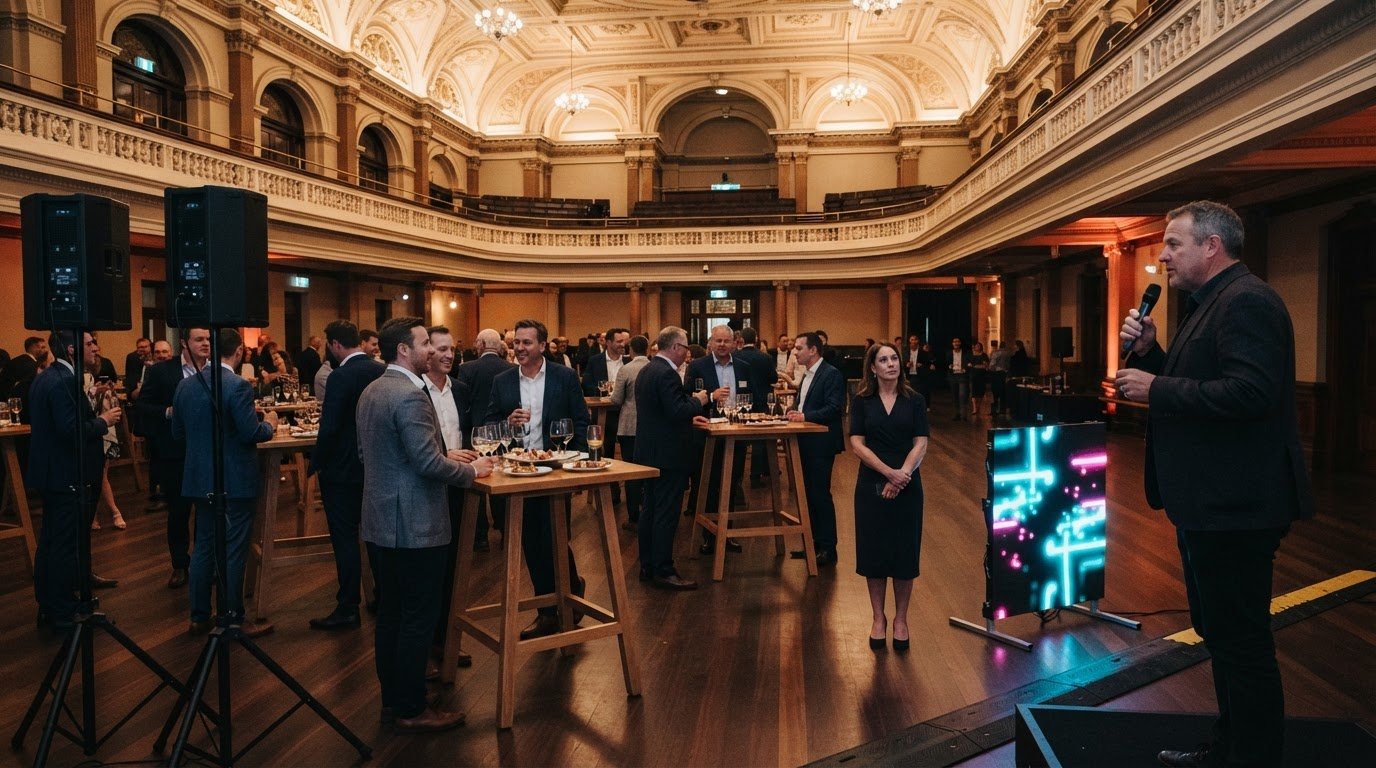
The venue’s AV may seem like the simplest option, but it may not suit your event. For AV for networking events in Melbourne, the right choice depends on the room, the run sheet and the guest experience you want, not just the equipment already on site.
It makes sense to weigh convenience against control. Venue AV can suit a straightforward programme, while external production can better coordinate presentations, lighting, staging and audience interaction.
This guide compares venue and external AV, explains production and audience engagement, and covers when to plan for your Melbourne event. You’ll also learn which details shape the technical plan, helping you make a clear decision and keep the focus on meaningful connections.
Key Takeaways
- Match the AV approach to your event format and venue setup to decide whether in-house support or an external production team is the better fit.
- Consider how sound, screens, lighting and staging work together to keep presentations clear and the room comfortable for conversation.
- Choose audience interaction tools that serve the event programme, making it easier for guests to take part without interrupting the flow.
- Bring production planning into the booking process early so technical requirements, venue logistics and event timing can be coordinated.
External AV providers and venue AV
Venue AV can simplify coordination when the installed systems suit your programme. Ask what the package includes, who operates the equipment and whether support covers both presentations and networking. Built-in sound may suit brief introductions, while a panel, screen content or audience questions may need a more tailored plan. Match the setup to the event rather than assuming every function room has the same capabilities.
An external AV provider can plan production around your run sheet and venue layout. This can help when sound, screens and lighting need to work together, or the venue’s systems don’t meet your requirements. Confirm access, setup arrangements and how external equipment will integrate with the room. Clear responsibilities between venue staff and the production team help prevent gaps on event day.
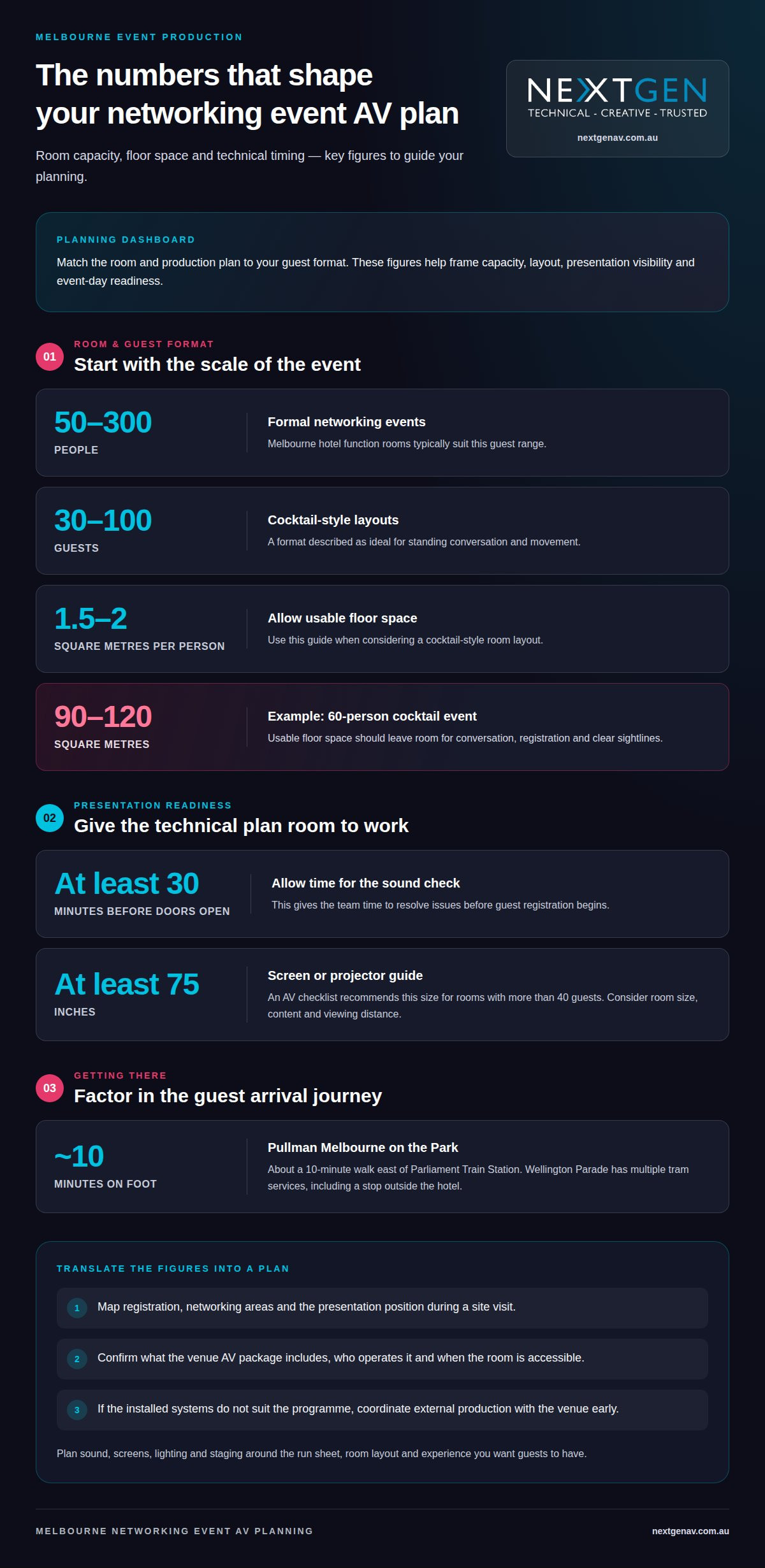
Capacity shapes both the room and its AV plan. Melbourne hotel function rooms typically suit formal networking events for 50 to 300 people. Cocktail-style layouts are described as ideal for 30 to 100 guests, with 1.5 to 2 square metres per person. A 60-person cocktail event should have 90 to 120 square metres of usable floor space. Select a layout that leaves space for conversation, registration and clear sightlines to any presentation area.
Location affects how easily guests arrive. Pullman Melbourne on the Park is about a 10-minute walk east of Parliament Train Station. Wellington Parade has multiple tram services, including a stop outside the hotel. Consider public transport access alongside parking, arrival flow and the distance between registration and the event room.
Choose a venue based on your guest format, capacity and programme, then shortlist Melbourne locations that suit those needs. During a site visit, map the registration point, networking area and presentation position. Ask about AV inclusions and access arrangements before booking. If the installed systems don’t suit your plan, coordinate external production with the venue early so responsibilities, room access and event timing align.
Corporate event audio-visual production in Melbourne
Production brings sound, vision, lighting and staging together in a coordinated plan. Planning AV for networking events in Melbourne starts with the programme, room layout and audience experience.
Audio, vision, lighting and staging
Audio carries welcome remarks and panel discussions, while screens make presentations visible around the room. Lighting can define a speaker area without making networking spaces feel too formal or restricting movement. Staging gives presenters a clear focal point, with the setup guided by sightlines, room layout and programme. An education-focused session, for example, may need better screen visibility than a reception centred on conversation.
Equipment planning and AV requirements
Production planning starts with the run sheet, venue layout, presentation content and audience format. From there, the team coordinates the relevant audio, vision, lighting and staging, rather than treating each item as a separate choice. A useful requirements list covers speaker positions, screen placement, presentation inputs, room lighting and event transitions. A sound check should take place at least 30 minutes before doors open, allowing the team to resolve issues before registration begins.
Microphone and speaker setup
The microphone and speaker setup should suit the programme and room. A wireless microphone can help a host move between welcome remarks and audience questions; a panel may need a microphone for each speaker. Professional Audio Systems can be configured for clear speech while supporting conversation around the room. Placement and level matter: guests should hear the presenter without sound overpowering networking discussions.
Screens, projectors and presentation support
Yes, Melbourne AV companies can provide screens, projectors and presentation support. For AV for networking events in Melbourne, the display choice depends on room size, content and viewing distance; an AV checklist recommends a screen or projector of at least 75 inches for rooms with more than 40 guests. A production team can coordinate presentation inputs and test content before doors open, reducing disruption during the programme. If attendees will join remotely, Virtual and Hybrid Event Solutions can connect the in-room programme with online participation.
Event technology and audience interaction
Technology can help a Melbourne networking event move smoothly between presentations and conversation. Plan each interaction around the programme, whether guests attend in person or online.
Technology for meetups
Technology meetups often combine a speaker presentation, audience questions and informal discussion. Melbourne Connect, for example, runs events such as academic lectures, debates and cocktail networking. For a similar format, align screen content and microphone handovers with the run sheet, then leave time for discussion after each session. This helps attendees focus on the topic and connect with potential partners.
Audience interaction should have a clear purpose. A moderator can gather questions during a talk and group them for a focused Q&A. Polls can prompt discussion or surface audience views, provided the results fit the session and presenters can respond. Keep instructions simple and visible so guests can participate without losing the thread of conversation.
Hybrid and livestreaming options
Hybrid and livestreaming options can connect remote attendees with in-room speakers and sessions at Melbourne networking events. The production plan should account for both audiences, including how presenters address online guests and how questions reach the room.
For a hybrid event, decide which parts of the programme remote guests can join, such as a welcome, panel or Q&A. Coordinate the run sheet, presentation content and audience questions so the online experience follows the event’s flow. Planned handovers between speakers and sessions help remote attendees stay engaged.
Choose interaction tools to suit the event’s purpose, rather than adding technology for its own sake. At a professional association meeting, moderated questions can focus discussion; at a product networking event, a short poll can introduce a topic before conversations begin. Decide who will host each activity and where it fits in the run sheet.
Before event day, align the moderator, speakers and production team on participation cues. Confirm how questions will be collected, selected and passed to presenters, and how online contributions will be included. Clear roles keep the technology in service of the meeting, so guests can focus on the people and ideas in the room.
Booking lead times
Start planning with your event date, venue and production requirements. For Melbourne networking events, the calendar can affect venue access, technical planning and guest communication. Secure the venue, then align the AV booking with the room, programme and audience format. A breakfast meeting, evening reception and hybrid panel each have different production needs, so share the schedule and format early.
Begin promoting your Melbourne networking event at least four weeks ahead. This gives attendees time to register and helps organisers plan the room and programme. Once the date is set, coordinate the venue and production teams on access, presentation needs and event timings. Agreeing on these details helps prevent late changes from disrupting setup or the guest experience.
Build communications into the calendar as the booking progresses. Send an attendee reminder one week before the event, then a final reminder 24 to 48 hours beforehand. Share the run sheet with key stakeholders at least 48 hours before the event, so speakers, venue staff and production crew can work from the same schedule.
The run sheet should cover registration, welcome remarks, presentations, audience questions and open networking. For each transition, note who is speaking and what technical support is needed. A presentation followed by networking, for example, needs a clear handover so guests can move smoothly from listening to conversation. Include venue access and setup timings in the production schedule.
On event day, organisers should arrive 60 to 90 minutes before guests. Schedule the sound check at least 30 minutes before doors open, leaving time to address audio issues before registration begins. These timings come from different planning needs: the early arrival supports coordination, while the sound check focuses on audio readiness. Hosting with a defined schedule gives the team clear cues and keeps the programme on track.
For a recurring event, place the next date in the calendar before the current gathering ends. For the first event in a series, announce the next date within 48 hours. This keeps booking and promotion moving while the meeting is still fresh for attendees.
NextGen AV: Virtual and Hybrid Event Solutions
NextGen AV coordinates the technical plan when your networking event includes in-room and remote participation. Its Virtual and Hybrid Event Solutions connect the programme with online attendees, while production planning aligns presenters, content and audience interaction.
When screen content is central, LED Video Walls can give presentations a clear visual presence. Professional Audio Systems support speech and discussion, while Lighting Design and Equipment helps shape the atmosphere around speakers and networking spaces. The right combination depends on your venue, run sheet and audience format.
Involve NextGen AV when your event includes livestreaming, hybrid participation or technical elements that need to work together. Share the event format, venue details and programme so the production plan can reflect the experience you want for guests.
Contact NextGen AV to discuss production for your networking event.
Shape the experience you want guests to remember
Before confirming production, decide what role technology should play in your event. Should guests focus on a speaker, join a hybrid discussion or move easily between a presentation and conversation? A clear creative direction helps align the technical plan with the atmosphere you want to create.
Choosing AV for networking events in Melbourne means connecting your event’s purpose with the audience experience. NextGen AV can support that vision with LED Video Walls for visual content, Professional Audio Systems for clear speech, and Lighting Design and Equipment to shape the room. Each element should contribute to an event that feels considered, not simply equipped.
With the event format and priorities in mind, you can move from planning decisions to a coordinated production brief. Discuss your event with NextGen AV and take the next step towards an experience that lets your guests connect with confidence.
Frequently Asked Questions
What AV equipment is typically needed for networking events in Melbourne?
A networking event with a brief welcome and one presenter may need a wireless microphone, sound systems and a display for supporting content. A reception without presentations may need only speech audio and room lighting. If a host moves between the entrance and presentation area, for example, plan for microphone movement and audience coverage. The final setup depends on your programme and venue.
What venue AV rules and technical requirements should I check in Melbourne?
Clarify the venue’s operating arrangements before finalising your technical plan. Ask which systems are available, who operates them, what presentation connections they support and where equipment can go. If you’re using an external production team, confirm venue access, setup and pack-down times, power locations, cable routes and rigging restrictions. For remote guests, include the venue’s internet arrangements in the technical discussion.
Discover Valuable Insights
Unlock Expert Tips and Advice
Our blog is packed with valuable information to help you stay ahead. Whether you’re looking for expert advice, industry trends, or practical tips, you’ll find everything you need. Reach out today to learn more or get in touch with us for personalised support!