
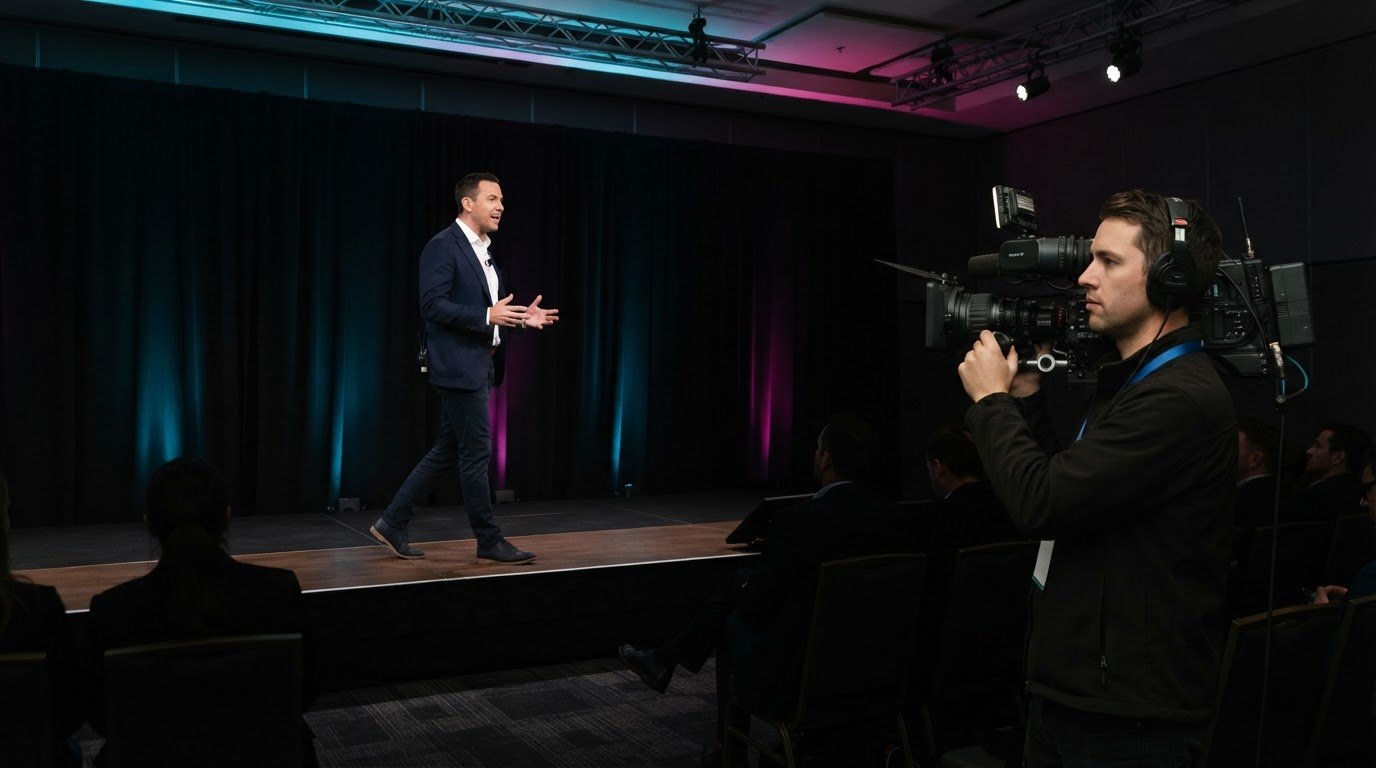
A bright stage does not automatically make a speaker easy to see. Effective lighting techniques to improve speaker visibility begin with controlled front lighting and even coverage, helping the presenter’s face read clearly without washing out slides or creating harsh shadows.
Event teams need to balance visibility for the people in the room with the image captured by cameras. Natural light, the speaker’s position and movement, and the relationship between stage lighting and screens all affect the result.
This guide explains how to choose lighting for the venue and event, cover the stage evenly, use spotlights effectively and select colour temperature for in-person and on-camera clarity. It also explores front lighting, the foundation for keeping a speaker visible, composed and connected with the audience.
Key Takeaways
- Shape the lighting plan around the venue’s natural light, screens and event programme to keep the stage clear and comfortable for the audience.
- Cover the full presentation area evenly so speakers remain visible as they move, using spotlights to guide attention where needed.
- Choose consistent lighting colour and temperature for the room and cameras, helping presenters look natural both in person and on screen.
- Use controlled front lighting to illuminate faces while limiting glare and shadows; coordinated lighting design can bring these elements together.
1. Choosing lighting for the venue and event type
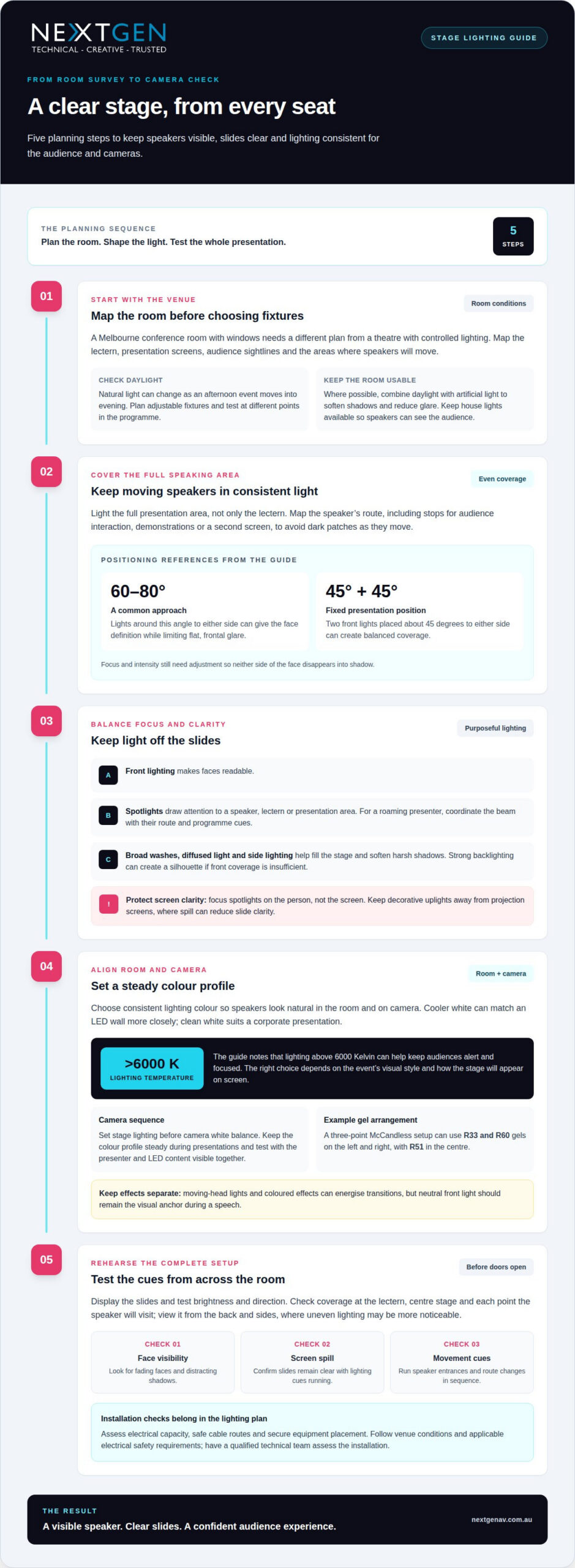
Start with the room, stage position and audience sightlines. A Melbourne conference room with windows needs a different plan from a theatre with controlled lighting. Map the lectern, presentation screens and areas where speakers will move. Then choose lighting techniques to improve speaker visibility without spilling light onto slides or leaving the audience in darkness.
Natural light changes during an event, especially when a conference runs from afternoon into evening. Plan for daylight to fade by using adjustable fixtures and testing the stage at different points in the programme. Where possible, combine daylight with artificial light to soften shadows and reduce glare. Keep house lights available so speakers can see the audience.
Give each light a clear purpose. Front lighting makes faces readable, while spotlights draw attention to a lectern or speaker. Uplights can define walls or architectural features, and ambient lighting helps guests move comfortably. Keep decorative uplights away from projection screens, where spill can reduce slide clarity.
For temporary event lighting in Australia, plan for electrical capacity, safe cable routes and secure equipment placement. Follow venue conditions and applicable electrical safety requirements. Have a qualified technical team assess the installation rather than relying on general room power points. The electrical load and fixture locations both shape the plan. Beyond on-site safety precautions, technical crew and contractors operating in hazardous rigging or high-voltage environments often manage broader personal protection through specialist brokers such as Special Risk Term.
Choose equipment to suit the room. A small meeting room may need controllable front lights and a simple control system. A conference stage or auditorium may also need broad stage washes, spotlights, stands or rigging, and a lighting console. The venue layout, ceiling height, screen position and speaker movement determine the setup.
Before a presentation, the production team should inspect the venue, identify daylight changes and position fixtures around screens. Test each lighting cue with the slides displayed, then adjust brightness and direction to limit glare. Coordinate cues with the event programme and sound checks, so transitions feel deliberate and speakers remain clearly visible.
2. Even stage coverage and spotlights for moving speakers
A speaker crossing the stage should remain visible throughout the presentation. Light the full speaking area, not just the lectern, to prevent sudden dark patches as the presenter moves. Map their route, including stops for audience interaction, demonstrations or a second screen. This helps maintain consistent coverage from different parts of the room.
Positioning shapes the result. A common approach places lights around 60 to 80 degrees to either side, giving the face definition while limiting flat, frontal glare. For a fixed presentation position, two front lights placed about 45 degrees to either side can create balanced coverage. Adjust their focus and intensity so neither side of the face disappears into shadow.
Spotlights can draw attention to a speaker entering the stage, approaching a lectern or moving to a presentation area. For a roaming presenter, coordinate the spotlight with their route and programme cues. Keep the beam on the person, not the screen, so the visual focus does not compete with slides or reduce their clarity.
Broad floodlighting can fill gaps across the stage, while diffused and side lighting soften harsh shadows. Use them together: a spotlight gives the speaker emphasis, and an even wash keeps the rest of the presentation area readable. Strong backlighting can create a silhouette if front coverage is insufficient.
Before doors open, test coverage at the lectern, centre stage and each point the speaker will visit. Check from the back and sides of the room, where uneven lighting may be more noticeable. Run the entrance and movement cues in sequence, adjusting beam direction and brightness if the speaker fades or shadows distract. This rehearsal also helps make spotlight transitions feel deliberate rather than abrupt.
Use spotlights to draw attention to speakers, and combine diffused lighting, side lighting and multiple light sources to limit harsh shadows on conference stages. Do not treat a 75° side position as a default: set top-light positions through a focus test, checking face visibility, shadow direction, screen spill and sightlines from across the room. Confirm speakers can read comfortably without the lighting drawing attention away from the presentation.
3. Lighting colour and temperature for in-person and camera use
Choose a consistent colour profile so speakers look natural in the room and on camera. Cooler white light can match an LED wall backdrop more closely, while clean white suits a corporate presentation. Lighting above 6000 Kelvin can help keep audiences alert and focused. The right choice depends on the event’s visual style and how the stage will appear on screen.
Cameras respond to light differently from the human eye, so changes in brightness or colour can stand out in footage. Set the stage lighting before camera white balance, then keep the colour profile steady during presentations. Uniform tones across the stage reduce the need for camera adjustments. Test with the presenter and LED content visible together.
Diffusion scatters a fixture’s beam, softening its effect on the speaker’s face while retaining useful illumination. Colour correction filters adjust a light’s temperature when its tone clashes with other fixtures or the camera image. For example, a three-point McCandless setup can use R33 and R60 gels on the left and right, with R51 in the centre.
Moving-head lights and coloured effects can add energy between presentations or during a performance. Keep those cues separate from the speaker’s main lighting state so colour changes do not distort skin tones or distract from spoken content. Bright blue or red effects may suit a transition, but neutral front light should remain the visual anchor during a speech.
For a filmed conference, test the full sequence with cameras, screens and stage lights running together. Check the presenter’s face, clothing and slides in the captured image, not only from audience seats. If the camera image shifts after a cue, adjust the colour balance or filter and repeat the cue. This helps keep the speaker’s appearance consistent throughout the programme.
4. Front lighting for speaker visibility
Front lighting illuminates a presenter’s face, helping the audience read expressions and follow the speech. Side lighting adds shape, while backlighting separates the speaker from the background. At conferences, front light should do most of the work; side and backlighting add depth without obscuring facial detail.
Clear visibility comes from balanced, adjustable front light across the speaker’s face and presentation area. One reference point identifies 500 lux indoors and 10,000 lux outdoors as ideal speaker light levels. These figures provide a starting point, while the venue, screen brightness and presenter position shape the final balance.
For a presenter, position the key light around 30 degrees and the fill light around 45 degrees. This arrangement creates facial modelling while softening the key light’s shadows. Keep backlighting behind the presenter to separate them from the background, rather than allowing it to overpower front illumination. A dedicated lectern light can help when notes need to remain readable.
To soften shadows and glare, use diffused front light and balance illumination from both sides. Aim fixtures around 30 to 40 degrees from horizontal; steep overhead light can create dark shadows beneath the eyes. With glasses, adjust the light angle so reflections don’t obscure the eyes. For slides, aim beams away from the screen and balance face brightness against slide readability.
During rehearsal, test the speaker’s face from audience seats and through the camera. Ask the presenter to move, read notes and look towards the screen; each position can change shadows and reflections. Adjust fixture direction or intensity, then check the result again. A tailored front-lighting plan for your event can enhance visibility while keeping screens legible.
For conferences that will not be video recorded, use a balanced white down wash with a straight-on front wash. Select warm-white LED fixtures and adjust their intensity to suit speaker comfort and visibility needs.
Avoid casting shadows across the speaker’s face, and do not position the speaker against a light-coloured wall or window. Use diffused front lighting, then check for even illumination and unwanted shadows during rehearsal.
NextGen AV: Lighting Design and Equipment
NextGen AV can shape the lighting plan around your presenter, venue, stage layout and screen content. Its Lighting Design and Equipment service brings these elements together to help audiences see speakers clearly in the room and on camera. This is especially useful for conferences, presentations and hybrid events, where front lighting needs to work alongside slides and video.
Technical planning brings fixture positions, speaker movement, glare, shadows and lighting cues into one coordinated design. When a production includes LED Video Walls, lighting can be balanced with the displayed content to preserve visual clarity. The aim is a considered stage environment, not simply brighter lights.
Contact NextGen AV to discuss lighting for your event.
Set the stage for your next event
Speaker visibility is part of the wider experience you are creating. The right lighting techniques to improve speaker visibility can keep attention on the presenter while supporting the event’s visual direction. Discuss the venue, programme and audience experience early so technical decisions work together rather than compete for attention.
NextGen AV can coordinate Lighting Design and Equipment with LED Video Walls and Professional Audio Systems, aligning stage visuals, spoken content and the audience experience. This joined-up approach suits events combining live presentations with screen content, or those needing a consistent look for in-person and camera audiences.
Share your event format, venue details and presentation requirements to start planning a lighting approach suited to the room and the people on stage. Contact NextGen AV about event lighting and take the next step towards a clear, confident stage experience.
Frequently Asked Questions
What lighting levels and colour temperature work best for speaker visibility?
Use enough light to show the speaker’s face clearly without making slides difficult to read. The right level depends on venue brightness, screen content and whether cameras are filming. For a natural appearance, choose a white tone that suits the presenter and setting, then assess it through the camera. Testing with the actual slides helps balance visibility in the room and on screen.
How can lighting improve speaker visibility for livestreams and video recordings?
For livestreams and recordings, use flicker-free lighting and keep the presenter’s illumination steady during each camera shot. Flicker can cause distracting distortions in footage, while abrupt brightness changes can affect the speaker’s appearance. Test and review a recorded segment before the event, including transitions, to check for flicker or exposure shifts. Frame the presenter clearly without letting the screen dominate the shot. For businesses and real estate investors hosting virtual webinars or investor pitches, backing strong camera presentation with automated communication platforms like REI Reply also ensures attendee questions and follow-up leads are handled seamlessly.
Discover Valuable Insights
Unlock Expert Tips and Advice
Our blog is packed with valuable information to help you stay ahead. Whether you’re looking for expert advice, industry trends, or practical tips, you’ll find everything you need. Reach out today to learn more or get in touch with us for personalised support!